Quick Start
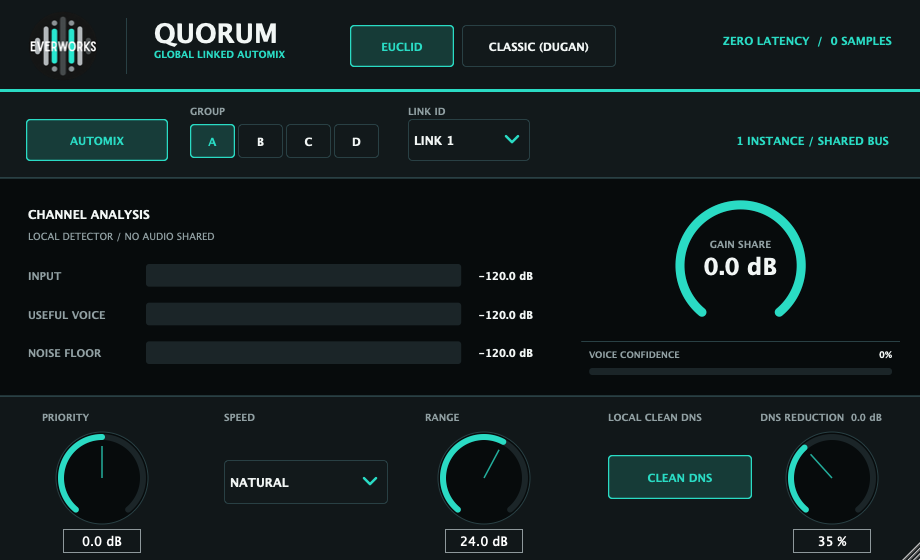
- Insert one QUORUM instance on each microphone channel that should participate.
- Set the same Group and Link for microphones that belong to the same automix system.
- Choose EUCLID for spill-aware focus or CLASSIC for proportional gain sharing.
- Set Range conservatively and confirm important microphones are not pulled down too far.
Main Controls
- EUCLID / CLASSIC - global automix model shared across linked instances.
- Group A-D / Link 1-8 - defines which instances talk to each other.
- Priority - lets important microphones win more easily.
- Speed / Range / Clean DNS - response timing, maximum attenuation and optional local cleanup.
Recommended Workflow
- Create one group per panel, lectern set, lav group or broadcast cluster.
- Start with Clean DNS at zero so you hear automix behavior alone.
- Use Priority for hosts, moderators and lead presenters.
- For monitor sends, use a dedicated link and a smaller Range.