Quick Start
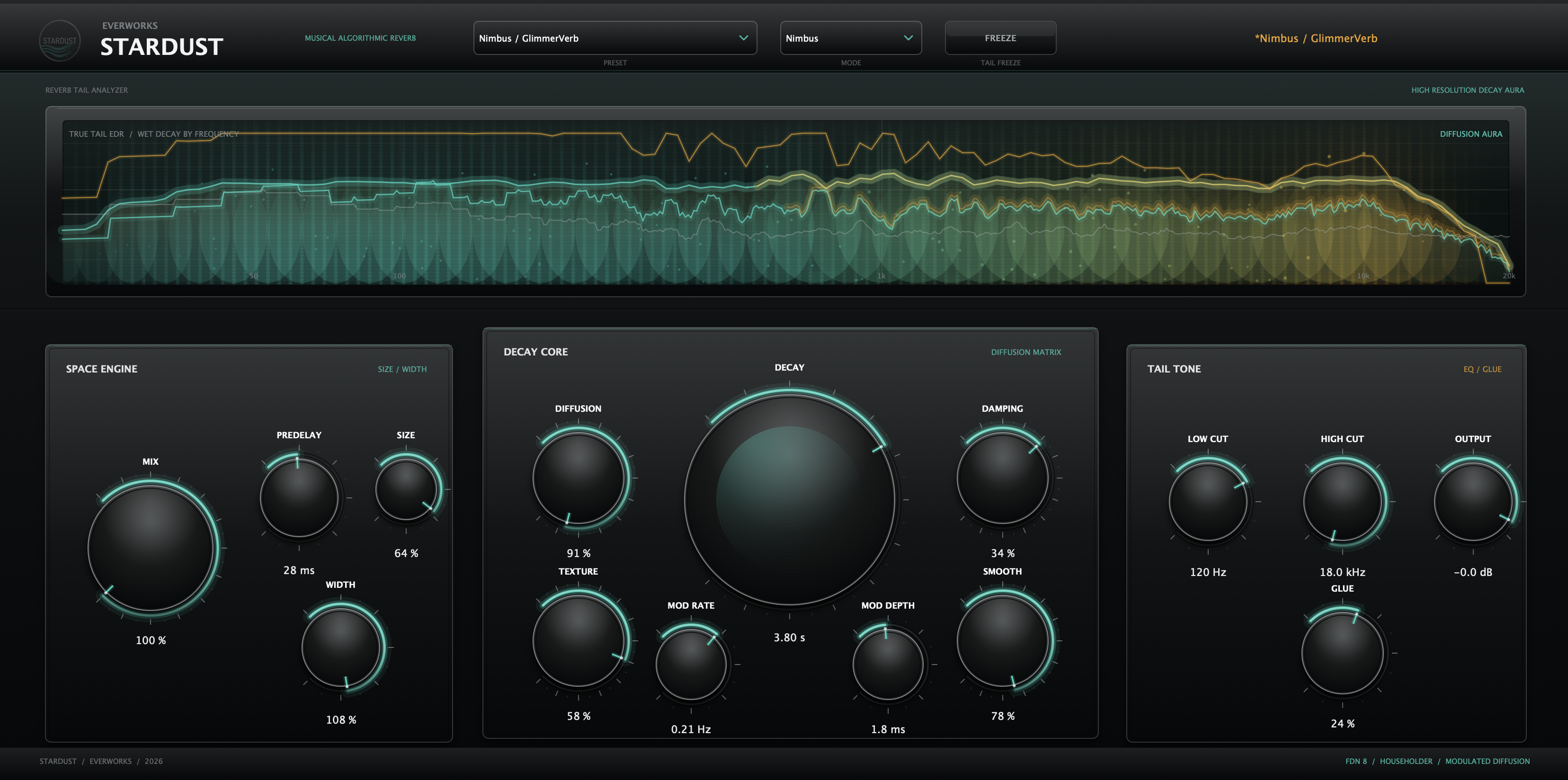
- Start with Mix low and Decay around the musical phrase length.
- Use Predelay to keep the dry voice or lead in front of the tail.
- Raise Diffusion and Smooth for a softer, more expensive tail.
- Use Damping, High Cut and Glue so the reverb supports the source instead of washing over it.
Main Controls
- Decay - global reverb time and tail scale.
- Diffusion / Texture / Smooth - density, softness and tail continuity.
- Damping / High Cut / Low Cut - spectral decay and mix placement.
- Width / Glue / Mod Rate / Mod Depth - stereo size, tail cohesion and subtle motion.
Recommended Workflow
- For vocals, set Predelay first, then Decay, then Mix.
- For lush tails, increase Smooth and Diffusion before increasing Decay.
- Use Glue to tuck the tail behind the dry source.
- If high frequencies feel detached, lower High Cut or Damping before reducing Mix.